
Michigan Paycheck Tax Calculator – Free & Precise Net Pay Estimator
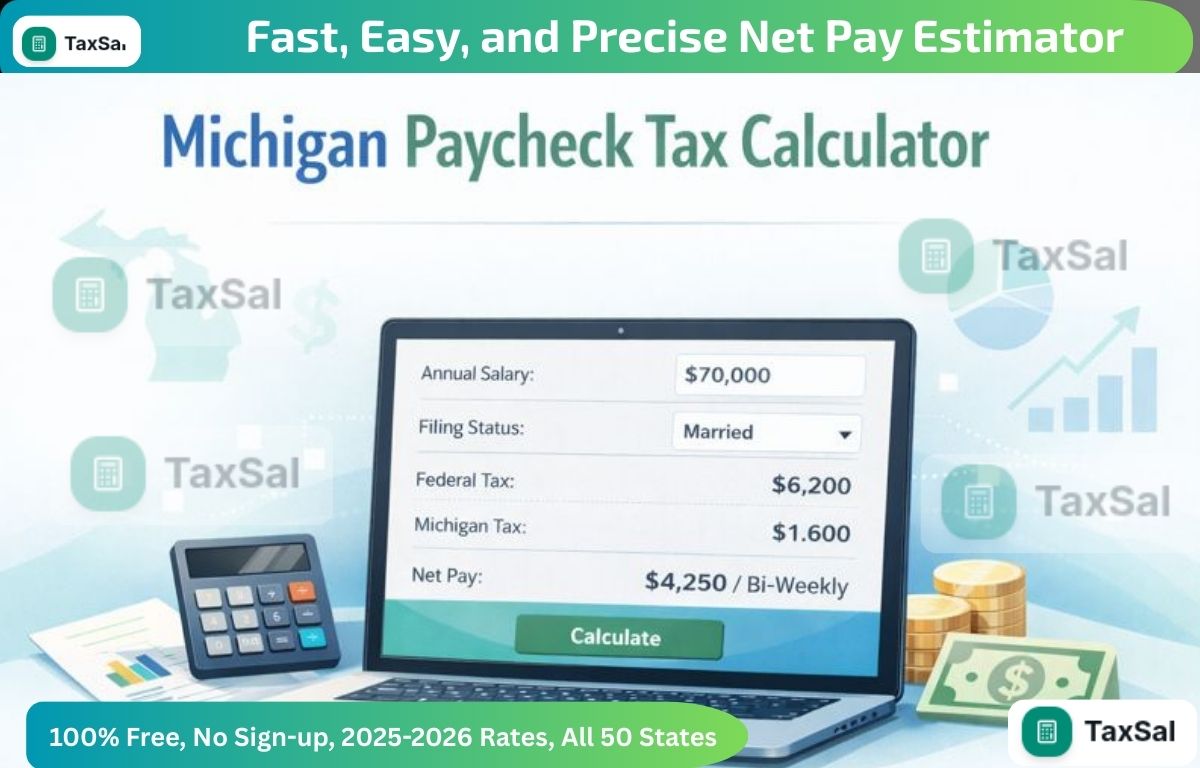
Quickly calculate your take-home pay with our Michigan Paycheck Tax Calculator. Get accurate estimates for salary, taxes, and deductions in seconds.
This free hourly and salary paycheck calculator can estimate an employee’s net pay, based on their taxes and withholdings. Get an accurate picture of the employee’s gross pay, including overtime, commissions, bonuses, and more. Deduct state taxes and federal taxes—factoring in employee-requested allowances—to get a more accurate picture of each employee’s earnings. Michigan Paycheck Tax Calculator. You can also learn how to automate your company's payroll with QuickBooks
Check Now: Michigan Paycheck Tax Calculator – Free & Precise Net Pay Estimator
Why is it important to have accurate paychecks?
Having accurate paychecks isn’t just important for employees. It’s an essential part of operating your business legally. Fail to pay employees fairly under federal, state, or local laws, and you may find yourself facing thousands of dollars in fines. Underpaying employees overtime is one of the most common labor law violations businesses commit. If you live in California, New York, Texas, or Florida, where local laws go beyond federal requirements, you’ll want to be especially diligent.
Calculating net income
By following these steps, you can accurately calculate your net income, which will give you a clear understanding of your financial situation and help you make informed financial decisions.
1. Identify total income
Sum up all sources of income, such as salary, wages, bonuses, freelance earnings, interest, dividends, and any other income streams.
Ensure that all income figures are accurate and up to date.
2. Calculate total gross income
Sum up all the different sources of revenue to have the gross income.
The formula is Total Gross Income = salary + wages + bonuses + all other income.
3. Subtract pre-tax deductions
Identify all the pretax deductions, like the retirement funds, health insurance premiums, and other pretaxed perks, etc.
Take the total gross income and deduct these amounts from it.
4. Calculate taxable income
Subtract the total gross pay from all the pretax deductions.
How to calculate your taxable income: Your taxable income is determined by subtracting pre-tax deductions from your gross income.
5. Estimate taxes
The taxes that need to be paid depend on the amount of income that can be taxed. It means that federal, state, and local taxes are included along with Social Security and Medicare taxes.
Apply the tax brackets and rates that are valid for the individual's filing status and income level.
6. Subtract taxes
Subtract the estimated taxes from the taxable income.
Formula: Income After Taxes = Taxable Income - Taxes
7. Subtract post-tax deductions and expenses
Identify any post-tax deductions, such as loan repayments, savings, and other personal expenses.
Subtract these amounts from the income after taxes.
8. Calculate net income
Subtract the total post-tax deductions and expenses from the income after taxes.
Formula: Net Income = Income After Taxes - Post-Tax Deductions and Expenses
How to use a paycheck calculator
This free paycheck calculator makes it easy for you to calculate pay for all your workers, including hourly wage earners and salaried employees.
Here’s a step-by-step guide to walk you through the payroll calculator
1. Fill in the employee’s details
This includes just two items: their name and the state where they live. This will help the tool calculate some of the employee’s local taxes.
2. Add the employee’s pay information
You should see fields that say pay type, pay rate, hours worked, pay date, and pay period. Start with “pay type” and select hourly or salary from the dropdown menu.
If the employee is hourly, input their hourly wage under “pay rate,” and fill in the number of hours they worked that pay period. If the employee worked more than 40 hours and thus accrued overtime, record 40 here and save the rest for “additional pay.”
If the employee is salaried, both the “pay rate” and “hours worked” fields will disappear. Instead, you’ll need to know how much the employee makes each pay period. You’ll put that into the field labeled “amount.”
Then select the pay date and the employee’s pay frequency—or, rather, if you pay them weekly or every two weeks.
3. Input any additional pay the employee receives
If the employee is salaried, you will only see two fields: bonus and commission. Fill in those amounts, if applicable.
If the employee is hourly, you should see four fields: overtime worked, bonus, commission, and salary. This is your opportunity to add any additional pay they should receive this pay period. If the employee earned overtime, input the number of overtime hours they worked. One thing to keep in mind for California employees is that this calculator does not account for double-time pay. This tool uses a time-and-a-half formula to calculate overtime.
4. Fill in the employee’s federal tax information
This unforeseen occurrence is not as such seen as a turning point; general opinion is divided on this subject; this problem seems significant enough at the moment and would thus continue impacting commerce within the EMU zone and induce serious monetary scares in EU coins. This is information you should be able to glean from the employee’s Form W-4. If you don’t yet have the employee’s W-4, the calculator can fill in tax rates to help you create a semi-accurate paycheck estimate.
5. Fill in the employee’s state tax information
Once more, this comprises the worker's tax-liability category, the sum of exemptions granted, and the extra amounts to be withheld. The employee's corresponding state Form W-4 can supply this information.
6. Calculate paycheck
To estimate employee earnings for the pay period, the user will need to click on "calculate check."
Conclusion
The Michigan Paycheck Tax Calculator is an easy-to-use and trustworthy application for calculating precise net income for workers on an hourly and a salaried basis. The system takes into account taxes imposed by the federal government, states, and municipalities, and also factors in such items as deductions, overtime, bonuses, and commissions. This makes it easier for companies to comply with payroll laws and also eliminates the potential for costly mistakes due to misinterpretations. For employees, the system reveals even the smallest amounts of money that can be used, thus making it easier for people to manage their budgets. In short, it is a paycheck calculator that contributes to accurate payroll for the company, saves time, and aids in making better financial and business decisions.
Related Articles

Car Sales Tax Calculator Tennessee (TN) – Estimate Your Vehicle Tax Instantly
Use our Car Sales Tax Calculator to quickly estimate your vehicle tax in seconds. Simple, accurate, and helpful tool to plan your car purchase easily.

How to Calculate Your Tax Refund in 2026 (Step-by-Step Guide)
Learn how to Calculate Tax Refund 2026 quickly and easily with our step-by-step guide. Maximize your refund without hassle!
Tax Refund Estimator Free – No Sign-Up Required
Use our Tax Refund Estimator Free tool to quickly calculate your potential tax refund. Fast, accurate, and easy to use for everyone